October 12, 2026
Introducing sender whitelists and blacklists
Mailisk namespaces can now whitelist or blacklist senders. Block the senders you don't want, or accept email only from the ones you trust. Everything else is turned away before it reaches your inbox.
Why filter senders
Test addresses end up in places you don't control. A test account signs up for a newsletter, an integration starts sending weekly digests, or an address gets pasted into a public bug report. That mail piles up in the inbox, and a test searching for "your code" can pick up the wrong email.
It also counts toward your monthly usage. Rejected emails don't. They are never stored and never counted.
Blacklist or whitelist
- Blacklist blocks the senders you list and accepts everyone else. Use it to silence one noisy sender.
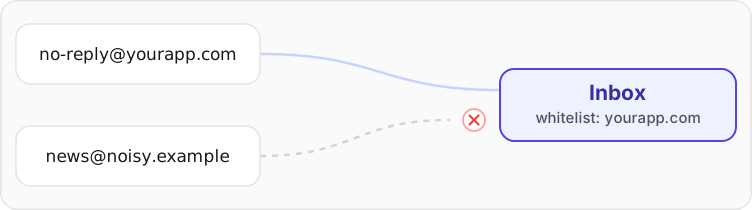
- Whitelist accepts only the senders you list. Use it for a namespace that should only hear from your app, like
no-reply@yourapp.comor anything atyourapp.com.
A rule matches an exact address or a whole domain, with or without its subdomains.
Set it up
Open your namespace in the dashboard and go to Settings → Receipt filtering. Pick a mode, add your rules and save.
Test a sender checks an address against your rules before you save them, so you can confirm a rule does what you expect.
See the sender filtering docs for how rules are matched.