October 19, 2026
Receive test emails at your own domain
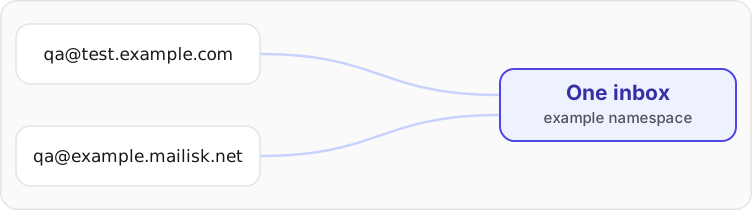
Mailisk namespaces can now receive email at your own domain. Add test.example.com to a namespace, and anything@test.example.com lands in the same inbox as anything@example.mailisk.net.
Why use your own domain
Some flows only work with an address on your domain. Internal tools and B2B apps often limit sign-ups to the company domain, and some sign-up forms turn away email domains they don't recognise. With a custom domain, your test users can sign up like real ones.
It also keeps test data looking like your product. The addresses in screenshots, demos and bug reports read qa-user@test.example.com instead of a domain your team has to explain.
Set it up
- Pick a subdomain that doesn't receive real email today, like
test.example.com. - Add it to a namespace under Settings → Custom domains.
- Create the two DNS records the dashboard shows you.
Once Mailisk sees the records, the domain starts receiving. Unlimited addresses, the dashboard, the API and your existing tests all work the same way they do with your Mailisk addresses.
Custom domains are available on paid plans, with one domain per organisation. See the custom domains docs for the DNS details.